
Frangular
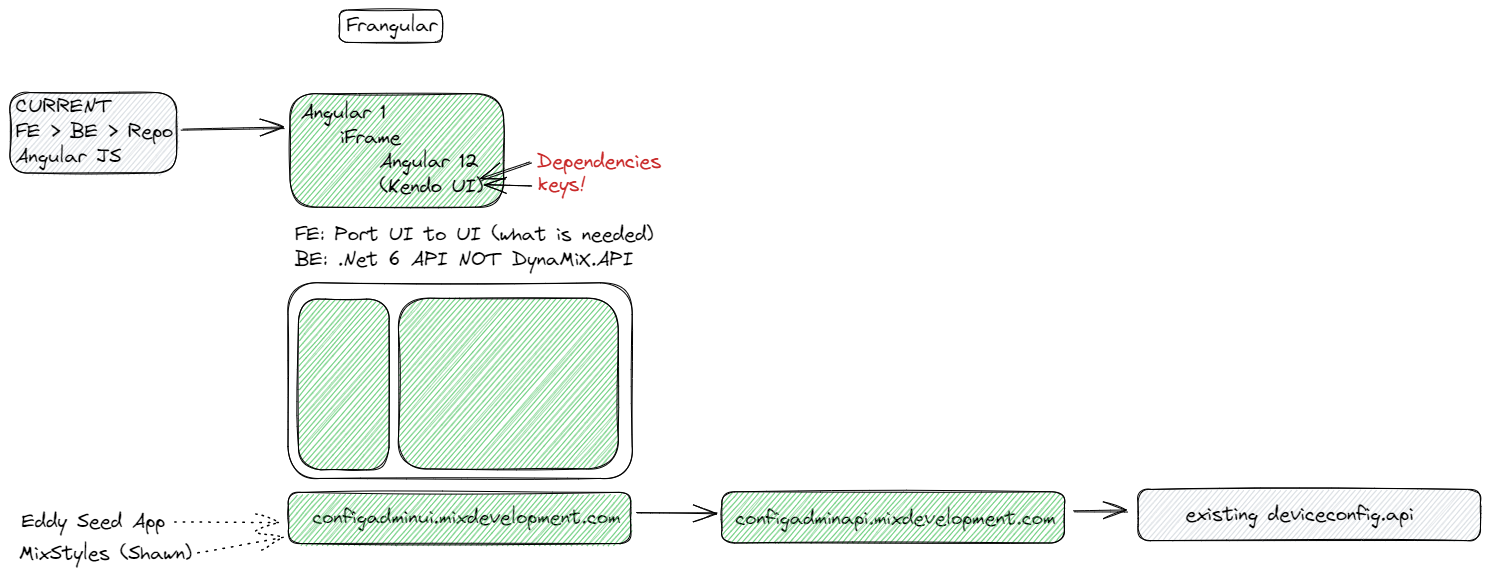
- Fleet team started the seed apps.
Writing our UI elements to work easier:
- New Angular
- Potential API microservices
Old code: Replace with an iFrame
New code: Make use of Frangular
Benefits
- Lightweight
- Can use VS Code
- UI: can view that page directly
- Future … microservices
- Future… Running in Containers? Docker
Help tools
Fleet has a Seed project: Seed - Repos (azure.com)
We will clone it for each of our sections.
We will then write that part in new angular and cleaner code.
The old page will become an iFrame
Video
Herewith a video where this was explained: Recordings - OneDrive (sharepoint.com)
Image
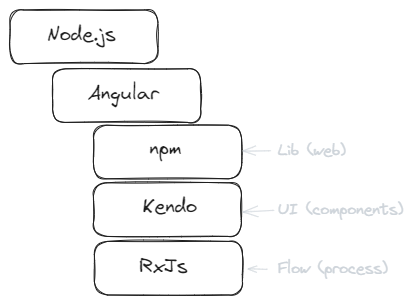
The basic Angular building blocks
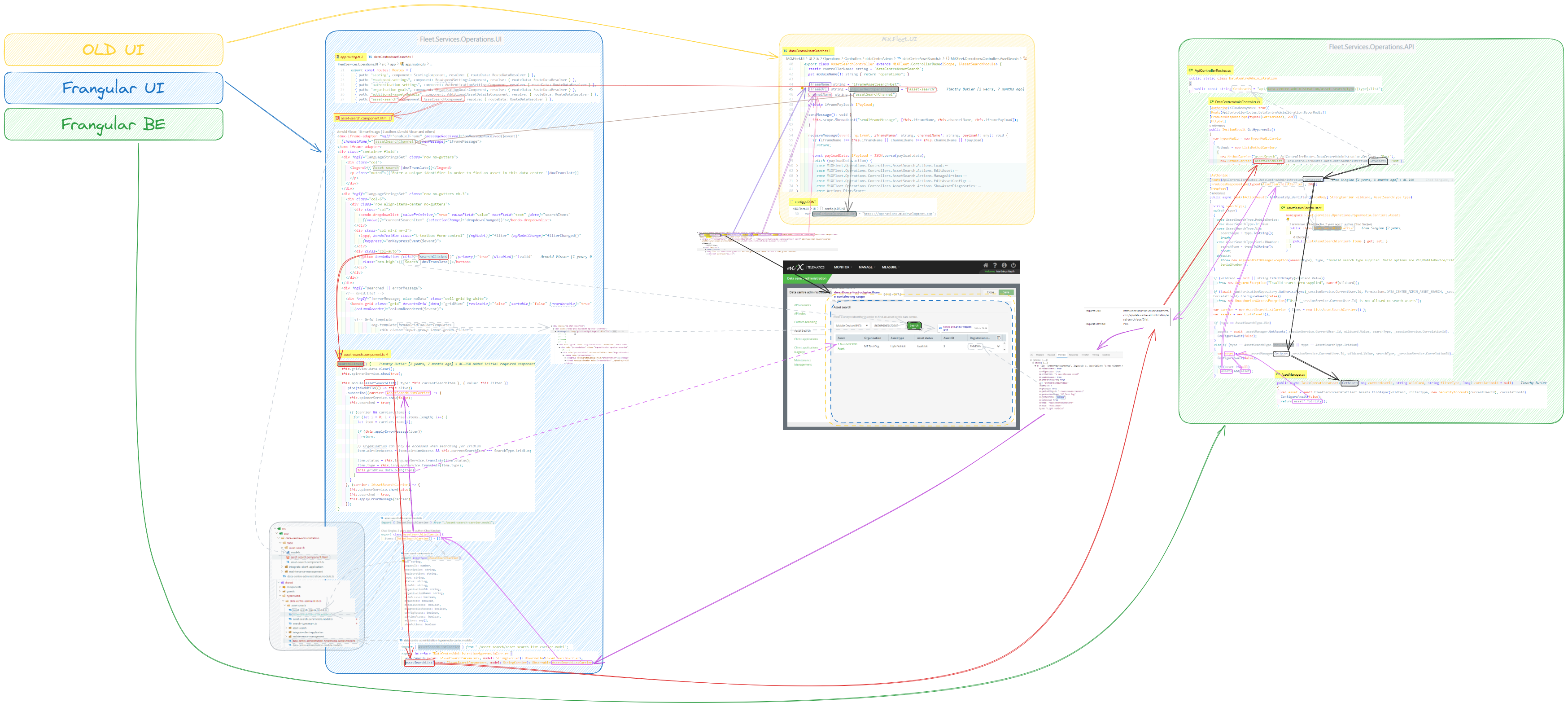
Chat with Chad:
-
Four main splits
- MiXFleet UI changes
- DynaMiX Backend changes
- the new frangular UI
- the new frangular API
-
Eg. For the operations module that we have in DynaMiX.
- Fleet.Services.Operations.API - Repos (visualstudio.com)
- Fleet.Services.Operations.UI - Repos (visualstudio.com)
- It is probably the first frangular stuff that we did.
- There are other examples like FleetAdmin UI and API etc. They all live in the same section on azure.
Our use-case overview

Dissecting the new logic
Creating Config Frangular Codebase
Frangular flowchart

Current Status: POC
Current Status of POP
Link to original
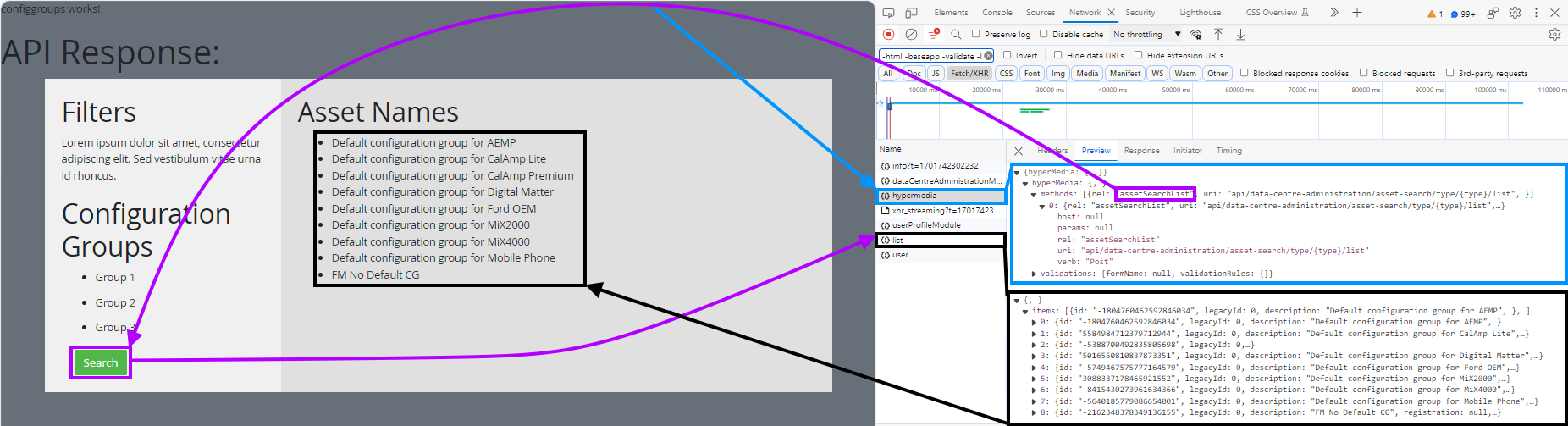

- Frangular UI Viewing: http://localhost:4200/configuration-groups-multiselect
- MiXFleey UI Consuming the Frangular UI: http://localhost/MiXFleet.UI/#/config-admin/configuration-groups-multiselect
Next steps
- Clean up two repos
- Chat with Zonika re best way forward
- Start with stories (Some quicker than we thought)