

AWS Login for SDK access using OKTA
Originaly found on the confluence page.
This page describes how to install and configure a utility to help you set up temporary AWS credentials to connect to the AWS-SDK.
Install using chocolatey:
The commands below should be run using PowerShell in admin mode.
Set-ExecutionPolicy Bypass -Scope Process -Force; [System.Net.ServicePointManager]::SecurityProtocol = [System.Net.ServicePointManager]::SecurityProtocol -bor 3072; iex ((New-Object System.Net.WebClient).DownloadString('https://chocolatey.org/install.ps1'))

choco install saml2aws
Configure saml2aws:
This should be run in your own account (not Admin mode)
saml2aws configure -a default --profile=default --idp-provider=Okta --mfa=PUSH --role=arn:aws:iam::601704920959:role/MiX-DevOpsPowerUser --url=https://mixtelematics.okta.com/home/amazon_aws/0oasvup9dMjldsRgO5d6/272 --session-duration=14400 --region=eu-west-1
You should be able to just accept the prompts by pressing enter until asked for Username. (This is your Okta Username and Password. )
After the command has finished you should get the following result:
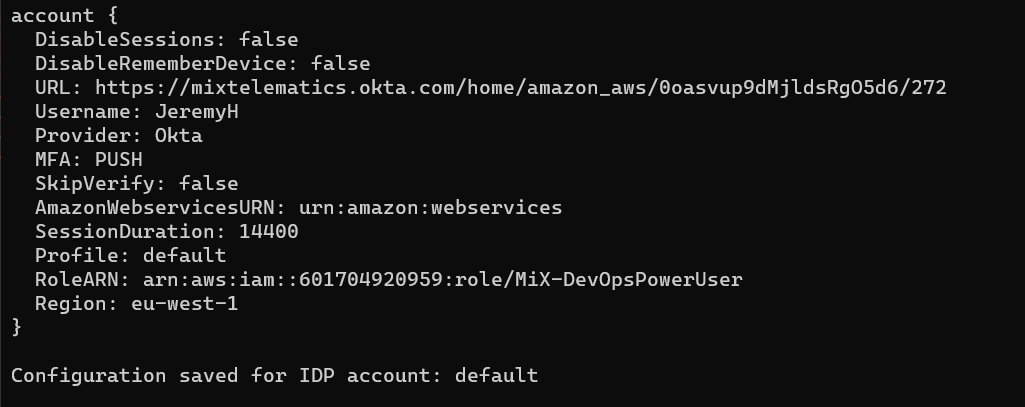
These details are saved to a file in your Users folder: C:\Users<YourUsername>.saml2aws, which can be edited to update settings if needed.
Note: Please check that the AWS role does match the role that you are a member of. This can be checked by logging into the AWS console in a browser.
To Login to AWS:
In terminal run:
saml2aws login -a defaultThe default is the account name you gave your credentials when configuring.
Enter your OKTA username and password and you will be good to go.
The confirmation will specify when the session will expire. You will need to run the command again after this time.
Issues
If you see something like this…
Authenticating as marthinusr@production.local ...
Waiting for approval, please check your Okta Verify app ...
Approved
Failed to assume role, please check whether you are permitted to assume the given role for the AWS service: Supplied RoleArn not found in saml assertion: arn:aws:iam::601704920959:role/MiX-DevOpsPowerUser
Look in your AWS account list if you are part of the mentioned role… in this case DevOpsPowerUser
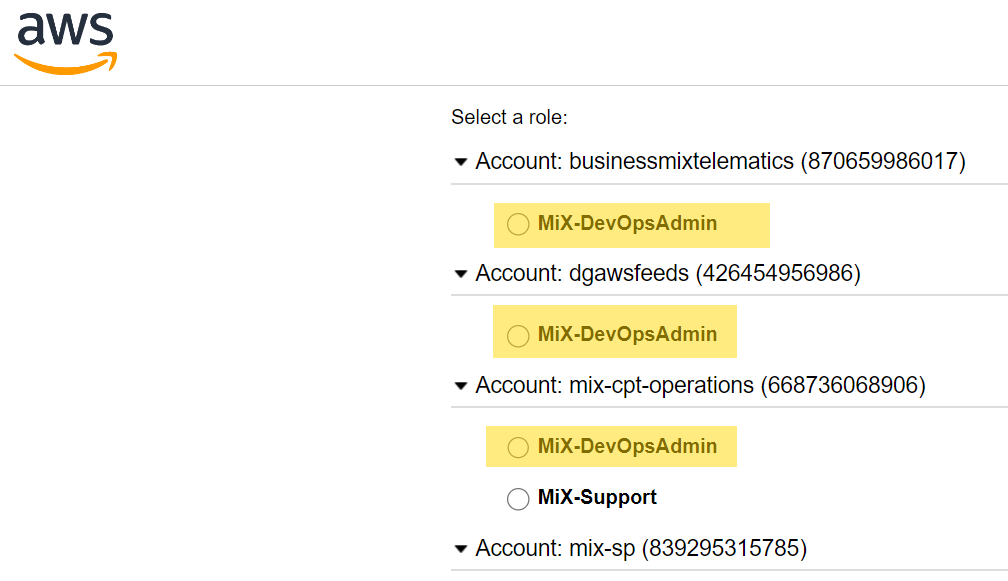
As you can see it is not present, then ensure you change the file .saml2aws to the correct role…
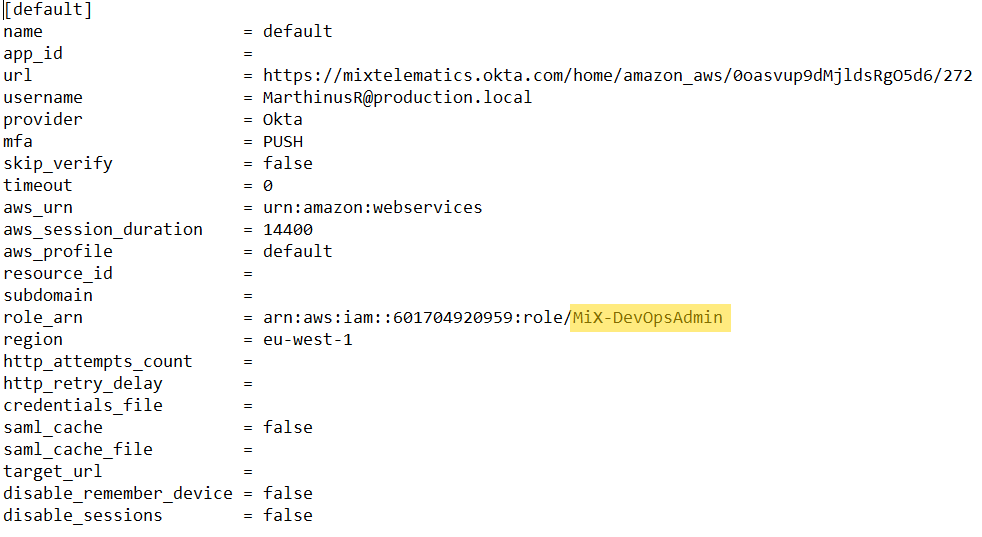
This solved it for me.
AWS Explorer
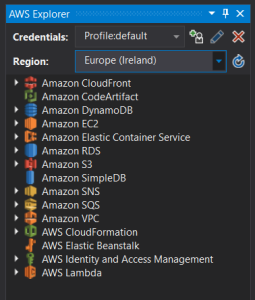
To use the AWS Explorer from inside Visual Studio ensure that the Credentials is set to use the Profile:default.
Notes:
For more information on saml2aws and how to do more advanced setups please refer to Versent/saml2aws: CLI tool which enables you to login and retrieve AWS temporary credentials using a SAML IDP (github.com)
This utility can be used from Linux or MacOS. Installation instructions are on the GitHub readme.
The above Role is in the mixdevelopment (Integration) AWS Account. If you wish to set up for other accounts you can set up multiple profiles in the configuration file and specify which to login to by changing from ‘default’.
Regarding token lifetime: the mixdevelopment token has a maximun of 4 hours, but our other accounts are limited to 1 hour. This means if you do set up for QA or Production you need to set SessionDuration: 3600 or the login will fail.